
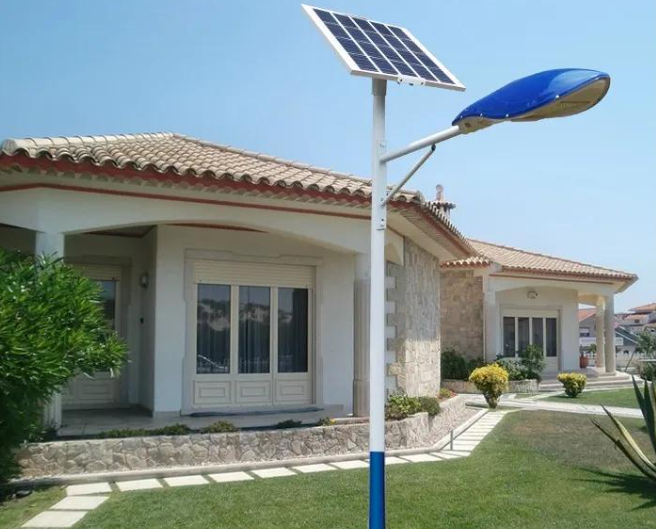
Solar street lights, with their energy-saving and wiring-free advantages, are widely used in outdoor settings such as courtyards, rural roads, and parks. Setting the lighting time appropriately is key to maximizing their value—avoiding insufficient light that could affect traffic safety, reducing energy waste, and extending battery life. Many users are confused during installation or use: how do I adjust the time of a solar street light? Actually, the adjustment method mainly depends on the street light’s control method, commonly including remote control adjustment, button adjustment, and smart APP adjustment. Below is a detailed explanation of the specific steps and precautions.Can Solar LED Lights Be Connected to Electricity?
Remote control adjustment is currently the mainstream and most convenient method; most mid-to-high-end solar street lights are equipped with a dedicated remote control. First, ensure the remote control has sufficient power. Point the remote control at the street light’s control box (usually at the bottom of the pole or behind the light body), keeping the distance within 5 meters to avoid obstruction. Second, enter the time setting mode: Press and hold the “timer” button on the remote control for 3 seconds until the “hour” digits on the display begin to flash; this enters the time adjustment state. The third step is to adjust the specific time: Use the “+” and “-” buttons on the remote control to adjust the hour. After adjustment, briefly press the “Timer” button to switch to “Minute” adjustment. Similarly, use the “+” and “-” buttons to set the minutes. After all adjustments are complete, briefly press the “Timer” button again to confirm and save. In addition, the remote control can also set lighting periods, such as setting the lights to illuminate from “18:00 to 23:00”. Some models support segmented timers, which can be flexibly set according to needs.Solar Garden Light Ground-Plug Installation
Button adjustment is suitable for traditional or simple solar streetlights. Adjustment requires direct contact with the control box. First, locate the streetlight’s control box and open the cover (some require a screwdriver to remove screws). Inside, there will be three core buttons: “SET,” “UP,” and “DOWN,” and a small display screen. First, press the “SET” button once; the display will show “TIME,” entering the time setting interface. Second, press the “UP” or “DOWN” button to adjust the hour. After adjusting, press the “SET” button again to switch to minute adjustment. Third, after completing the minute setting, press the “SET” button twice to exit the setting mode. The display will return to normal time display, completing the operation. During operation, avoid touching the wiring and batteries inside the control box. After operation, be sure to tightly close the box cover to ensure a waterproof seal.Can Solar LED Lights Have Replaceable Batteries?
Smart APP adjustment is a key feature of this smart solar street light, catering to remote control needs. First, ensure the solar street light is connected to your home or local Wi-Fi network. Open the corresponding app (downloadable by scanning the QR code in the street light’s instruction manual), log in, find the corresponding street light in the device list, and enter the control interface. Second, find the “Time Setting” option in the interface. After clicking, you can directly enter the target time on your phone screen or adjust the hours and minutes by sliding the numbers. Some apps support syncing with your phone’s system time; click “Sync” to quickly complete the setting. In addition, the app can also set timer on/off, brightness adjustment, and other functions, suitable for managing large-area street light clusters. Adjustments will automatically sync to the street light controller.
There are several key precautions to remember when adjusting the time. First, always read the product manual before adjusting. Button markings and operating logic may vary slightly between different brands of street lights; following the manual will prevent incorrect adjustments. Second, avoid adjusting the time under direct sunlight, as strong light may obscure the display numbers and affect adjustment accuracy. Third, after setting the time, it is recommended to test the effect. For example, set the evening lighting time and observe whether the streetlights turn on normally at the appointed time to ensure the setting is effective. Fourth, check the time settings regularly, especially during seasonal transitions (such as switching between daylight saving time and winter time), and adjust the lighting period in a timely manner to adapt to changes in light intensity.
In short, the core of adjusting the time of solar streetlights is to first understand the control type of your equipment, and then operate according to the corresponding steps. The whole process is simple and easy to learn. Reasonable time settings not only ensure lighting needs but also improve energy efficiency and extend the lifespan of the streetlights. If you encounter problems such as the display screen not lighting up or buttons not responding during adjustment, it is most likely that the remote control is out of power or the control box has poor contact. You can check these basic issues first. If the problem persists, it is recommended to contact product after-sales service.