
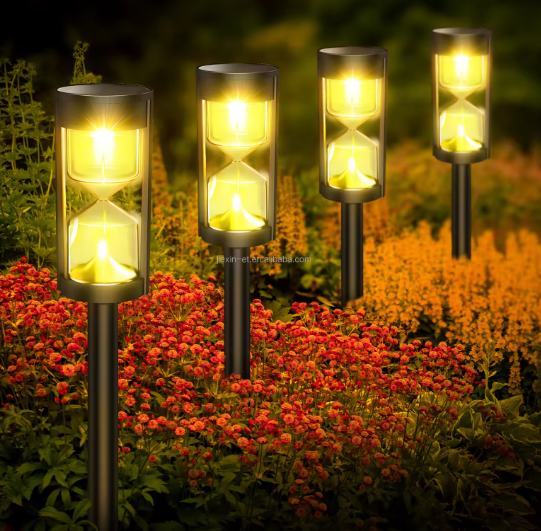
Solar Garden Light Automatic Switch Setup Guide
I. Automatic Switch Principle
Solar garden lights automatically control their on/off state using a built-in photosensor. The lights automatically turn on when ambient light levels are below a set threshold and automatically turn off when they are above the threshold, requiring no manual operation. What to do if your solar streetlights are not working?
II. Basic Setup Steps
- Initial Use Preparation
· Remove all insulating protective sheets
· Switch the switch to the “ON/AUTO” position
· Ensure the solar panel faces upwards
· Charge in direct sunlight for 8-12 hours.Can Solar-Powered LED Lights Be Used Indoors?
- Installation Location Selection
· The solar panel needs direct sunlight all day.
For purchases, please add the following WhatsApp contact.
· Avoid areas shaded by trees, eaves, etc.
· Avoid proximity to other nighttime light sources
· Recommended installation height: 0.5-1.5 meters above the ground
III. Operating Mode Settings
- Pure Light Control Mode
· Features: Completely dependent on ambient light
Do Solar LED Lights Consume Electricity?
· Setting: Switch the mode switch to “AUTO”
· Suitable for: Regular courtyard lighting
- Light Control + Time Control Mode
· Features: Can set an off time after the light is on
· Setting: Adjust via the time knob (usually 2-8 hours)
· Suitable for: Locations requiring energy saving
- Human Body Sensor Mode
· Features: Full brightness when someone is present, dim brightness when no one is present
· Setting: Switch to the “SENSOR” position
Adjustment: Adjustable sensing distance (3-8 meters) and delay (15-180 seconds)
IV. Sensitivity Adjustment
Light Sensitivity Adjustment
· Location: Usually located on the back of the solar panel
· Adjustment knob: Clockwise delays light activation, counterclockwise advances light activatio.
· Recommendation: Adjust to the middle position in spring and autumn, and appropriately increase in winter.
Time Control Adjustment
- Locate the “HOURS” or “TIMER” knob
- The scale corresponds to the lighting duration (usually 2/4/6/8 hours)
- Set a shorter time in summer and a longer time in winter.
V. Special Scene Settings
Continuous Rainy Day Settings
- Adjust the sensitivity to the lowest setting.
- Shorten the set lighting time.
- If there is an energy-saving mode, please turn it on.
Winter Setting Points
- Clean snow from the solar panel.
- Appropriately increase the sensitivity.
- Consider adjusting the installation angle.
Security Lighting Settings
- Select “SENSOR+HIGH” mode.
- Adjust the sensing distance to the maximum.
- Set a shorter delay to turn off.
VI. Troubleshooting
Inspection for Automatic Lighting
- Confirm the switch is in the “AUTO” position.
- Clean the photosensitive sensor window.
- Check for obstructions.
- Reset the system: Turn off for 24 hours and then restart.
Abnormal Lighting Time
- Lighting on too early: Decrease sensitivity counter-clockwise.
- Lighting on too late: Increase sensitivity clockwise.
- Lighting off prematurely: Check the timer settings.
Sensitivity Calibration Method
- Cover the sensor with a black cloth at dusk.
- The light should turn on immediately.
- It should turn off within 30 seconds after removing the cover.
VII. Maintenance Recommendations
Seasonal Adjustment
- Spring: Restore default settings.
- Summer: Reduce sensitivity and shorten the time.
- Autumn: Moderately increase sensitivity.
- Winter: Set to maximum sensitivity.
Daily Maintenance
- Clean the sensor window monthly.
- Check for setting offsets quarterly.
- Perform a deep calibration annually.
VIII. Precautions
Installation Taboos
- 1. Do not install near strobe light sources.
- Avoid direct sunlight from car headlights.
- Keep away from heat sources and reflective surfaces.
Setting Reminders
- New lights require 2-3 charge-discharge cycles to stabilize.
- Changes to settings take effect after 10 minutes.
- Adjustment methods may vary slightly between brands.
Energy Saving Tips
- Set different modes for different zones.
- Use lower brightness for path lighting.
- Set shorter durations for non-critical areas.
IX. Advanced Function Settings
Smart Model Settings
- APP Connection: Download the accompanying application.
- Remote Settings: Adjust parameters via mobile phone.
- Scene Modes: Set holiday modes, etc.
Multi-Light Linkage Settings
- Master-Slave Mode Settings
- Synchronized Lighting Adjustment
- Sequential Lighting Settings
X. Common Problem Solutions
Invalid Settings Handling
- Restore factory settings (refer to the instruction manual).
- Fully discharge and recharge to set.
- Update firmware (smart models).
Environmental Interference Handling
- Add a light shield to avoid accidental triggering.
- 1. Adjust the installation direction to avoid interference sources.
- Contact the manufacturer to adjust the sensitivity range.
By following the above setup methods, solar garden lights can achieve precise automatic on/off control, maximizing energy savings while providing convenient lighting. It is recommended to observe for 2-3 days after each adjustment and fine-tune to the optimal state based on actual conditions.